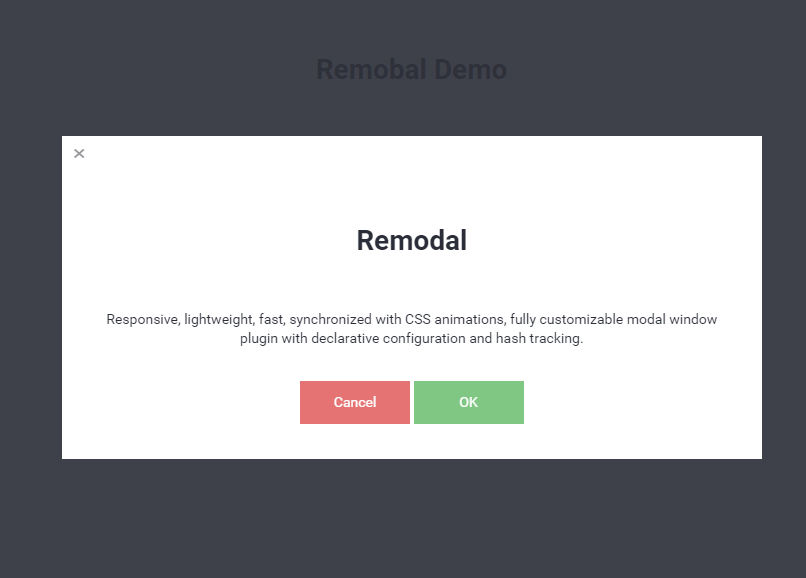
Remodalはシンプルなモーダル表示用jqueryライブラリです。
シンプルに実装できて、使いやすいのが特徴です。
デモ
デモページを用意しました。
ダウンロード
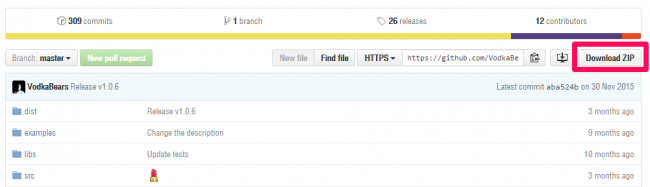
「Download ZIP」ボタンからダウンロードします。
使い方
HTMLを用意します。
<div class="remodal-bg">
  <a href="#modal">モーダル1</a>
</div>
モーダル表示部分のHTMLも用意します。
<div class="remodal" data-remodal-id="modal">
  <button data-remodal-action="close" class="remodal-close"></button>
  <h1>Remodal</h1>
  <p>
    Responsive, lightweight, fast, synchronized with CSS animations, fully customizable modal window plugin with declarative configuration and hash tracking.
  </p>
  <br>
  <button data-remodal-action="cancel" class="remodal-cancel">Cancel</button>
  <button data-remodal-action="confirm" class="remodal-confirm">OK</button>
</div>
CSSを読み込みます。ダウンロードしたzipのdistフォルダにあります。
<link href="css/remodal.css" rel="stylesheet">
<link href="css/remodal-default-theme.css" rel="stylesheet">
jQueryと、ダウンロードしたzipのdistフォルダにあるremodal.min.jsを読み込みます。
<script src="//ajax.googleapis.com/ajax/libs/jquery/2.2.0/jquery.min.js"></script>
<script src="js/remodal.min.js"></script>
これだけで実装は完了です。
モーダルのデザインを追加することもできます。赤色透過背景のモーダルを実装してみます。

HTMLを用意します。「modal2」という名前です。
<div class="remodal-bg">
  <a href="#modal2">モーダル2</a>
</div>
追加のモーダル表示部分のHTMLを用意します。
<div data-remodal-id="modal2" role="dialog" aria-labelledby="modal2Title" aria-describedby="modal2Desc">
  <div>
  <h2 id="modal2Title">Another one window</h2>
  <p id="modal2Desc">
  Hello!
  </p>
  </div>
  <br>
  <button data-remodal-action="confirm" class="remodal-confirm">Hello!</button>
</div>
CSSを用意します。
.remodal-bg.with-red-theme.remodal-is-opening,
.remodal-bg.with-red-theme.remodal-is-opened {
  filter: none;
}
.remodal-overlay.with-red-theme {
  background-color:rgba(244, 67, 54, 0.6);
}
.remodal.with-red-theme {
  background: #fff;
}
スクリプトを実行します。</body>タグの前に挿入します。
<script>
  $('[data-remodal-id=modal2]').remodal({
    modifier: 'with-red-theme'
  });
</script>
</doby>
これで、モーダルデザインの追加も完了しました。
オプションを指定することもできます。
<script>
  window.REMODAL_GLOBALS = {
    NAMESPACE: 'remodal',
    DEFAULTS: {
      hashTracking: true,
      closeOnConfirm: true,
      closeOnCancel: true,
      closeOnEscape: true,
      closeOnOutsideClick: true,
      modifier: ''
    }
  };
</script>